Welcome! This instruction manual provides essential guidance for optimal performance and longevity of your Electrolux washing machine, ensuring years of reliable service.
Accessing downloadable user and service manuals is readily available online, offering detailed support for installation, operation, and maintenance procedures.
Understanding Your Model
Identifying your specific Electrolux washing machine model is crucial for accessing the correct documentation. Locate the model number, typically found on a sticker inside the door or on the rear panel.
This number is essential when downloading the appropriate user or service manual from the Electrolux website. Different models feature varying functionalities and control panels.
Ensure the manual corresponds precisely to your machine for accurate instructions regarding features, wash programs, and troubleshooting steps. Referencing the wrong manual could lead to improper operation or damage.
Safety Precautions
Prioritize safety when installing and operating your Electrolux washing machine. Always disconnect the appliance from the electrical supply before cleaning or performing maintenance.
Never attempt to repair the machine yourself; contact qualified service personnel for assistance. Keep children and pets away from the washing machine during operation.
Ensure proper grounding to prevent electrical shock. Do not overload the machine, and avoid washing flammable materials. Read the complete instruction manual for comprehensive safety guidelines.
Getting Started: Installation & Setup
Proper installation is crucial for optimal performance. Carefully unpack your Electrolux, position it correctly, and connect the water supply and drain hose securely.
Unpacking and Positioning
Carefully unpack your new Electrolux washing machine, removing all packaging materials, including shipping bolts – retain these for future transport. Inspect for any visible damage incurred during shipping.
Position the machine on a firm, level surface; adjust the feet to ensure stability and minimize vibration during operation. Allow sufficient space around the appliance for ventilation and convenient access for maintenance and connections.
Ensure the appliance is not blocking doorways or emergency exits.
Connecting Water Supply & Drain Hose
Connect the water supply hose to a cold water tap with a ¾ inch thread, ensuring a tight, leak-proof connection. Use the supplied washers.
Position the drain hose securely into a standpipe or laundry tub, ensuring it’s at the correct height to prevent siphoning.
Avoid kinks or sharp bends in the hoses. Regularly inspect connections for leaks and tighten as needed for optimal performance.
Electrical Connection Requirements
Ensure your household electrical supply matches the washing machine’s voltage requirements, typically 220-240V.
A dedicated, grounded outlet is essential for safe operation. Do not use extension cords or adapters.
The machine requires a sufficient amperage rating; consult the technical specifications for details. Improper electrical connection can cause damage or pose a safety hazard. Always disconnect power before servicing.
Understanding the Control Panel
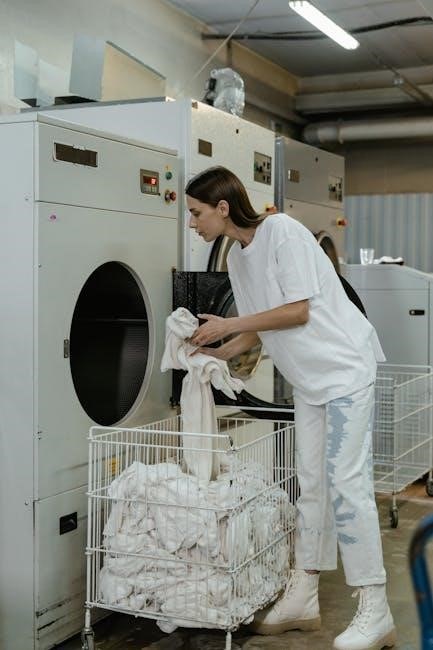
Familiarize yourself with the buttons and display symbols for seamless operation. The control panel governs wash programs, settings, and provides status updates during cycles.
Overview of Buttons and Indicators
The control panel features intuitive buttons for power, program selection, temperature adjustment, and spin speed control. Indicators illuminate to show the selected wash cycle, remaining time, and any active options like delay start or extra rinse.
Specific buttons may include start/pause, options for stain removal, or economy settings. LED displays clearly present error codes if issues arise, guiding troubleshooting. Refer to the manual for a detailed explanation of each button’s function and indicator meaning, ensuring optimal machine usage.
Display Symbols and Meanings
The Electrolux display utilizes a series of symbols to communicate machine status and selected settings. Common symbols include water temperature indicators (cold, warm, hot), spin speed (RPM), and cycle progress bars. Error codes, displayed as alphanumeric combinations, signal specific malfunctions requiring attention.
Symbols for options like pre-wash, extra rinse, or delay start are also present. Consult your user manual for a comprehensive decoding of all displayed symbols, ensuring you understand the machine’s operation and can address any issues effectively.
Using Your Washing Machine: A Step-by-Step Guide
Begin by loading laundry, adding detergent, and selecting a wash program. Follow the control panel’s prompts for a seamless and efficient washing experience.
Loading Laundry Correctly
Ensure optimal washing results by distributing laundry evenly within the drum. Avoid overloading, as this restricts movement and hinders cleaning effectiveness. Separate items by fabric type and color to prevent dye transfer.
Check pockets for objects like coins or keys, which can damage the machine. Loosely place items; tightly packed loads reduce cleaning performance. Follow the maximum load capacity indicated in the user manual for each program.
Delicate items should be placed in a mesh laundry bag for protection during the wash cycle.
Adding Detergent and Fabric Softener
Always use a high-efficiency (HE) detergent specifically designed for washing machines. Refer to the detergent packaging for appropriate dosage based on load size and soil level. Pour detergent into the designated compartment of the detergent drawer.
Fabric softener should be added to its separate compartment, avoiding direct contact with detergent. Do not overfill compartments, as this can cause residue buildup. Clean the detergent drawer regularly to prevent clogs and ensure proper dispensing.
Selecting Wash Programs
Your Electrolux washing machine offers a variety of wash programs tailored to different fabric types and soil levels. Turn the program selector dial to choose the desired cycle – options include Cotton, Delicates, Quick Wash, and more.
Consider the garment care label when selecting a program. Adjust temperature and spin speed settings as needed using the control panel buttons. Refer to the ‘Specific Wash Programs Explained’ section for detailed program descriptions.
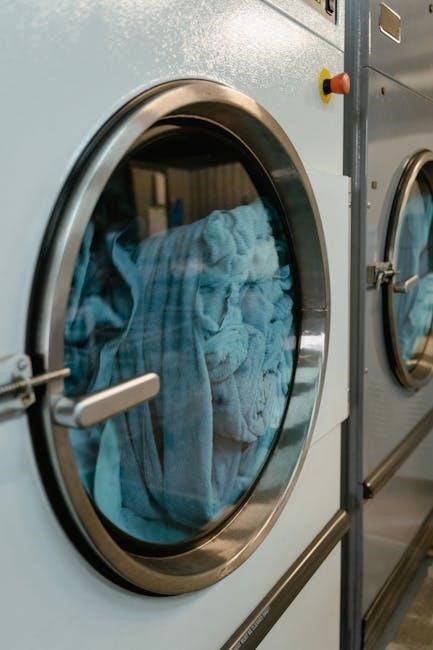
Specific Wash Programs Explained
Explore detailed descriptions of each wash program – Cotton, Delicates/Silk, and Quick Wash – to optimize cleaning performance and garment care, ensuring excellent results.
Cotton Program Details
The Cotton program is designed for durable, everyday cotton items. Select this program for items like t-shirts, bed linen, and towels. Adjust the temperature based on fabric care labels – typically 40°C or 60°C are suitable.
Utilize the soil level setting to customize wash intensity; heavier soiling requires a more intensive wash. Consider pre-treating stains for optimal results. Avoid overloading the drum to ensure thorough cleaning and prevent damage to your garments.
Refer to the user manual for specific load capacity recommendations.
Delicates/Silk Program Guide
The Delicates/Silk program provides gentle care for fragile fabrics like lingerie, silk, and sheer materials. Always use a laundry bag to protect items from snagging or damage during the wash cycle. Select a low temperature, ideally 30°C or colder, and a reduced spin speed.
Employ a mild detergent specifically formulated for delicates to prevent color fading or fabric weakening. Avoid using bleach or fabric softener on these items; Check garment care labels for specific washing instructions before starting the cycle.
Quick Wash Options
Electrolux washing machines offer several Quick Wash options for lightly soiled laundry, saving you time and energy. These programs typically range from 15 to 30 minutes, ideal for refreshing clothes or small loads. Select the appropriate quick wash cycle based on fabric type and soil level.
Remember to use a reduced amount of detergent for quick washes to prevent residue buildup. Avoid overloading the machine, as this can compromise cleaning performance. These cycles are not suitable for heavily soiled items or stain removal.
Maintenance and Cleaning
Regular maintenance ensures optimal performance. Clean the detergent drawer, drum, and filters routinely to prevent buildup and maintain hygiene, extending machine lifespan.
Cleaning the Detergent Drawer
To clean the detergent drawer, first remove it by pressing the release button or lever, consulting your specific model’s manual for location. Rinse thoroughly under warm running water, removing any residual detergent or fabric softener. Use a soft brush to dislodge stubborn residue from compartments and spray nozzles.
Inspect the drawer for blockages and ensure water flows freely through all openings. Dry completely before reinserting it into the washing machine. Regular cleaning – ideally monthly – prevents buildup and ensures optimal detergent dispensing, maintaining washing performance.
Cleaning the Drum
Maintain your washing machine’s drum cleanliness by running a high-temperature wash cycle – typically 90°C or the hottest setting – with an empty drum. Add a washing machine cleaner or a cup of white vinegar to the detergent compartment. This helps dissolve detergent residue, mineral deposits, and eliminate odors.
Wipe the drum’s interior with a damp cloth after each cleaning cycle. Regular drum cleaning – every one to three months – prevents mold growth and ensures optimal washing performance, extending the lifespan of your Electrolux appliance.
Filter Cleaning Procedures
Locate the filter, usually behind a small access panel at the front, lower part of your Electrolux washing machine. Prepare for potential water spillage by placing a towel and shallow container nearby. Carefully open the panel and unscrew the filter cap, slowly draining any remaining water.
Remove any lint, debris, or small objects from the filter. Rinse the filter thoroughly under running water and reinstall it securely, ensuring a watertight seal. Regular filter cleaning – every few months – maintains optimal drainage and prevents blockages.
Troubleshooting Common Issues
Encountering problems? This section details solutions for issues like the machine not starting, drainage problems, and deciphering error codes for swift resolution.
Machine Not Starting
If your Electrolux washing machine fails to start, first verify the power cord is securely plugged into a functioning electrical outlet. Check the circuit breaker or fuse box to ensure the circuit hasn’t tripped or blown.
Confirm the door is properly closed and latched; the machine won’t operate if the door isn’t securely fastened. Also, examine the control panel for any active error codes, as these can indicate the specific issue preventing startup. Consult the error code section of this manual for detailed explanations.
Drainage Problems
Experiencing drainage issues? First, ensure the drain hose isn’t kinked, twisted, or blocked. Verify the drain hose is correctly positioned at the appropriate height, as specified in the installation instructions. Next, locate and carefully clean the machine’s drain filter – it may be clogged with lint, debris, or small objects.
If problems persist, check your household drain for blockages. Remember to always disconnect the power before accessing or cleaning any internal components. Refer to the maintenance section for detailed filter cleaning procedures.
Error Codes and Their Meanings
Your Electrolux washing machine utilizes error codes to signal malfunctions. Consult the comprehensive list within this manual or the downloadable service manual for specific code definitions. Common codes may indicate issues with water supply, drainage, or internal components.
For example, a specific code might signal a blocked drain pump, while another could indicate a faulty temperature sensor. Always note the exact error code displayed and refer to the troubleshooting guide before contacting service.
Downloading User Manuals & Service Manuals
Locate comprehensive Electrolux manuals online through our extensive database, offering thousands of resources for installation, operation, and detailed service information.
Locating Manuals Online
Accessing your Electrolux washing machine’s documentation is straightforward! Our online database hosts thousands of user manuals and service manuals in PDF format.
Simply navigate to the official Electrolux support website or utilize third-party manual repositories.
Search by model number (often found on the machine’s rear panel) to pinpoint the exact manual for your appliance.
Download and save these resources for future reference, ensuring you always have access to vital information regarding installation, operation, and troubleshooting.
Understanding Service Manual Information
Service manuals offer in-depth technical details beyond the user manual, intended for qualified technicians.
They include detailed diagrams, schematics of the electronic control system, and comprehensive troubleshooting guides.
Expect to find component locations, wiring diagrams, and step-by-step repair procedures.
These manuals are invaluable for diagnosing complex issues, but require a strong technical understanding; attempting repairs without proper training is discouraged. High-quality PDF downloads are readily available.
Technical Specifications
Dimensions and weight vary by model; consult your specific user manual for precise measurements. Water consumption details are also listed within.
Dimensions and Weight
Precise dimensions and weight are crucial for installation planning. Refer to your specific Electrolux washing machine’s user manual – often available for download online – for accurate figures.
These specifications detail height, width, and depth, ensuring proper fit within your laundry space. Weight information is vital for safe handling during installation and potential relocation. Variations exist between models, so always prioritize the data provided in your machine’s documentation.
Water Consumption Details
Understanding water usage is key for efficient laundry practices. Your Electrolux washing machine’s instruction manual outlines water consumption per cycle, varying by program selection.
Factors like load size and wash program (e.g., Cotton, Delicates) significantly impact water usage. Downloadable manuals provide detailed charts. Conserving water benefits both the environment and your utility bills. Always check local regulations regarding water usage and appliance efficiency standards.
Warranty Information
Coverage details for your Electrolux washing machine are outlined in the instruction manual. Learn how to submit a warranty claim efficiently.
Coverage Details
Electrolux provides a limited warranty covering manufacturing defects in materials and workmanship. The instruction manual details the specific duration of coverage, typically ranging from one to ten years, depending on the component.
Parts and labor are generally included during the initial warranty period. However, cosmetic issues or damage resulting from misuse, improper installation, or lack of maintenance are excluded. Carefully review the manual for complete terms and conditions to understand your rights and responsibilities.
How to Make a Claim
To initiate a warranty claim, consult your Electrolux washing machine’s instruction manual for specific instructions. Generally, you’ll need to provide proof of purchase, the model and serial number, and a detailed description of the issue.
Contact Electrolux customer support via their website or phone number, as outlined in the manual. They may request photos or videos to assess the problem before authorizing repair or replacement. Keep all communication records for your reference.